ERP integration architecture: patterns, data ownership and failure handling
Most ERP integration problems are not connector problems. They are ownership problems (two systems both think they own the customer) and failure problems (nobody notices the order that never arrived). This is how to design for both.
- By
- Comtau Editorial
- Published
- Reading time
- 8 min
- Sections
- 9
Start with ownership, not with connectors
An ERP integration project usually begins with a list of connections: ERP to CRM, ERP to the online store, ERP to the warehouse. That list is necessary, but it is the second question. The first is which system owns each record, because every integration defect that is expensive to fix traces back to an unclear answer.
A system of record for an entity is the one place where that entity is created and corrected. Other systems may display it, cache it and attach their own data to it, but if a field is wrong, there is one place to fix it, and the fix flows out from there.
| Capability | ERP | CRM | E-commerce | WMS | HRIS |
|---|---|---|---|---|---|
| Prospects and opportunities | - | Owns | - | - | - |
| Customer account (billing, credit, terms) | Owns | Reads | Reads | - | - |
| Items and prices | Owns | Reads | Reads | Reads | - |
| Web order until accepted | Reads | - | Owns | - | - |
| Sales order after acceptance | Owns | Reads | Reads | Reads | - |
| Physical stock by bin | Reads | - | - | Owns | - |
| Stock value and available to promise | Owns | - | Reads | Feeds | - |
| Employees and cost centres | Reads | - | - | - | Owns |
Three patterns appear in almost every landscape:
- Ownership changes with state. The online store owns a basket and an order until payment and acceptance; from then on, the ERP owns the sales order and the store only shows its status. Write the handover point down.
- Ownership can be split by field. The CRM may own a customer’s contacts and marketing preferences while the ERP owns the billing address, credit limit and payment terms. That works only if both sides know which fields they may write.
- Physical and financial views differ. A warehouse system owns where every unit is; the ERP owns what the stock is worth and what is available to promise. They must agree on totals, not on every bin.
The four integration patterns
There are many integration products, but they implement a small number of patterns. Most mature landscapes use all four, each where it fits.
| Pattern | How it works | Fits when | Typical failure |
|---|---|---|---|
| Point-to-point API calls | One system calls the other’s API directly | Two systems, low volume, an answer needed immediately | Every new system adds connections; an outage in one stops the caller |
| Scheduled file or batch | Extracts are exported and imported on a timetable | High volume, tolerance for delay, legacy systems without APIs | Partial files, silent skips, and data hours old by the time it lands |
| Integration hub (middleware or iPaaS) | A central platform transforms and routes messages between systems | Several systems, shared mappings, a team to operate the hub | The hub becomes a second, undocumented system of business logic |
| Event-driven messaging | Owners publish events (“order accepted”) to a broker; subscribers react | Many consumers of the same change, need for decoupling and replay | Events without a clear schema or owner, and consumers that assume order |
The choice is rarely about technology preference. It is about who must know about a change, how fast, and what happens if they are temporarily unavailable.
Synchronous or asynchronous: decide per interaction
A useful rule: use a synchronous call only when the caller cannot continue without the answer.
- Checking a customer’s credit before confirming a large order, or checking stock before promising a delivery date, are legitimate synchronous calls. Design them with a timeout and a defined fallback (for example, accept the order into a “pending credit review” state rather than failing it).
- Posting an invoice, updating a price list, or sending a shipment confirmation to the CRM are not. They need to arrive reliably, not instantly, so they belong in a queue or an event stream, where a temporary outage delays them instead of losing them.
Teams that make everything synchronous build a landscape in which any system’s maintenance window is an outage for all of them.
Designing a message that can be repeated safely
Networks fail between “the message was processed” and “the sender heard that it was processed”. The sender will retry, and the receiver will see the same message twice. A trustworthy integration assumes this and makes duplicates harmless.
The example below shows the parts of an event that matter for reliability, using an order handover from an online store to an ERP:
{
  "event": "sales_order.accepted",
  "schema_version": 3,
  "event_id": "0f7d2a8e-6c1b-4f9e-9a52-7d1e4b8c2f10",
  "occurred_at": "2026-10-28T09:14:03Z",
  "source": "web-store",
  "idempotency_key": "web-store:order:WEB-104882",
  "data": {
    "external_order_id": "WEB-104882",
    "customer_ref": "erp:C-20417",
    "currency": "USD",
    "lines": [
      {
        "line": 1,
        "item_ref": "erp:ITM-5531",
        "qty": 12,
        "unit_price": "18.40"
      }
    ]
  }
}
(The identifiers and values are illustrative.)
idempotency_keyidentifies the business fact, not the delivery attempt. The ERP stores processed keys; a second message with the same key returns the original result instead of creating a second order.schema_versionlets the receiver accept old and new formats during a change, so the two systems do not have to deploy at the same minute.customer_refanditem_refuse the owner’s identifiers. When systems keep their own IDs, maintain a cross-reference table (system, entity, local ID, owner ID) in one place, and fail loudly on an unknown reference instead of creating a duplicate customer “just this once”.- Amounts are strings or integers in minor units, never floating-point numbers, so totals reconcile exactly.
Failure handling: treat errors as a workflow
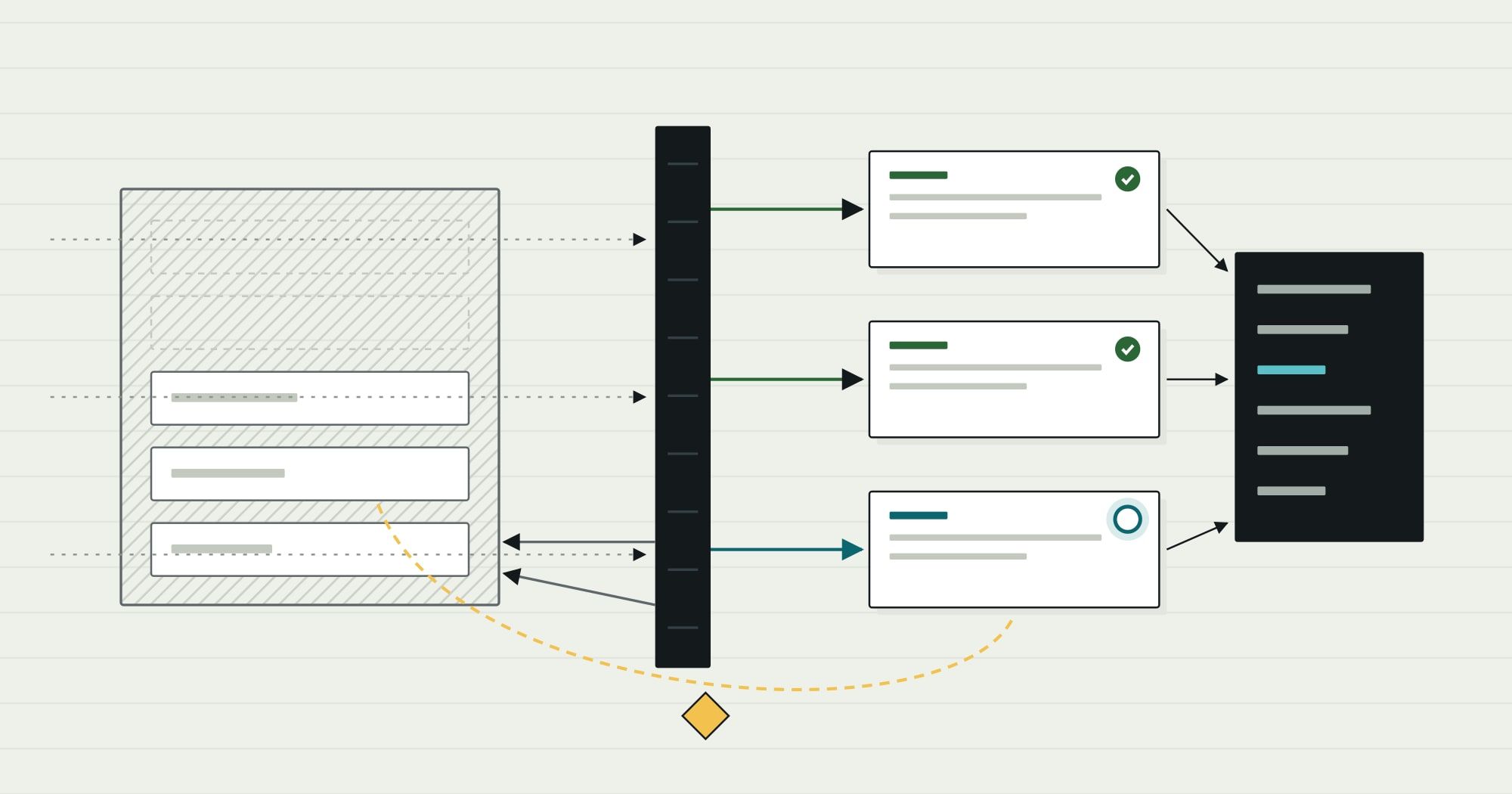
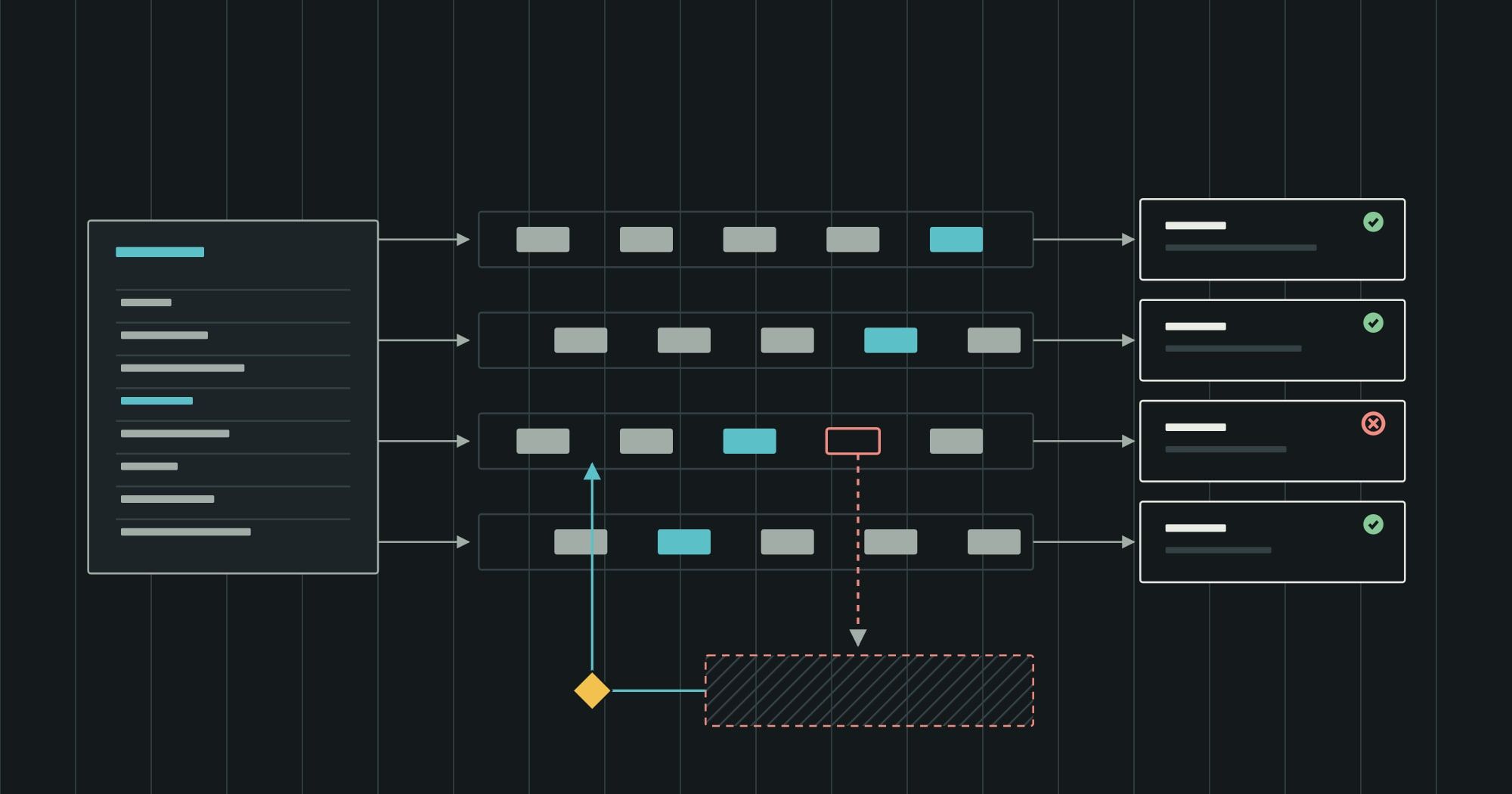
Integrations fail in a small number of ways: the receiver is down, the message is malformed, or the message is valid but violates a business rule (an unknown item, a closed accounting period, a credit block). Each needs a different response, and the last one needs a person.
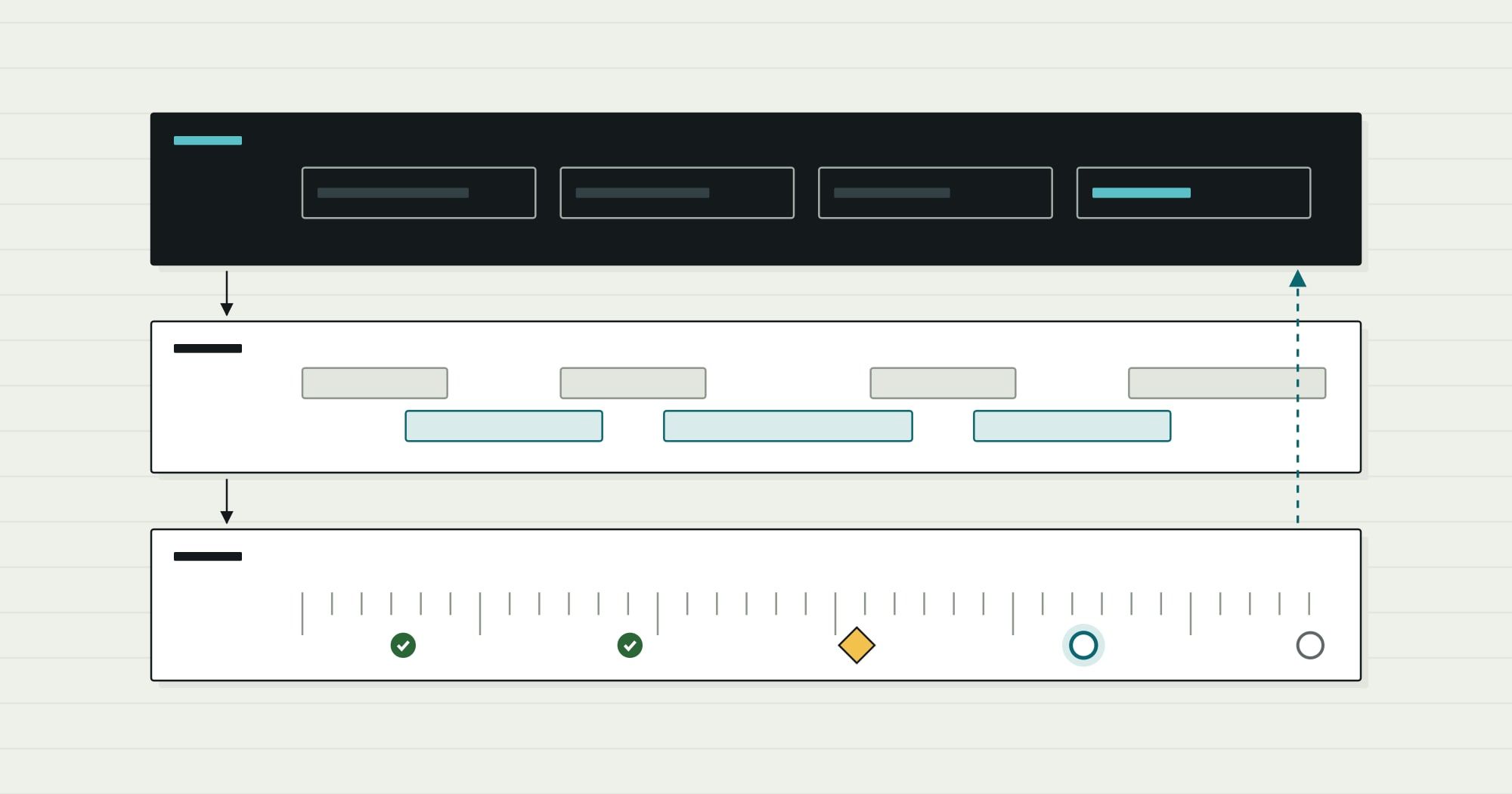
- Received: done
- Validated: doneSchema and references checked
- Posting: in progressRetry with backoff if the ERP is unavailable
- Rejected: blockedBusiness rule failed: dead-letter queue
- Fixed and replayed: awaiting a decision
- Posted: not started
- Transient failures (timeouts, a system in maintenance) are retried automatically with increasing intervals and a cap. Retrying immediately and indefinitely turns a brief outage into a flood.
- Permanent failures (bad data, rule violations) go to a dead-letter queue: a list of messages that could not be processed, each with the reason. A dead-letter queue without a named owner and a daily review is just a slower way of losing data.
- Replay must be safe, which is why idempotency matters: once the item is created or the period reopened, the owner replays the message and it posts exactly once.
- Alerts go to people who can act. An alert about a closed period should reach finance, not a developer on call.
Reconciliation: the control that catches everything else
Even well-designed integrations drift: a message is filtered by mistake, a manual correction is made in the wrong system, a mapping changes. Reconciliation is the independent check that those things have not happened.
A simple daily reconciliation compares, per entity and per day, counts and totals on both sides: orders accepted by the store versus sales orders created in the ERP, invoices posted versus invoices synced to the CRM, units shipped by the warehouse versus shipments posted in the ERP. Differences become a short exception list with links to the records involved.
This is also the most convincing evidence an integration is working. “No errors in the log” proves little; “every order on both sides, totals equal, for 30 days” proves a lot.
Security and operations
- One service account per integration, with only the permissions that integration needs. A connector that can post journal entries but only needs to read stock is a control weakness auditors will find.
- Credentials in a secrets store, rotated on a schedule, never in configuration files or shared documents.
- Rate limits and batching agreed with each system’s owner, especially for SaaS products that throttle API calls.
- A runbook per integration: what it moves, who owns it, how to pause it, how to replay messages, and what “healthy” looks like on the dashboard.
A reference architecture
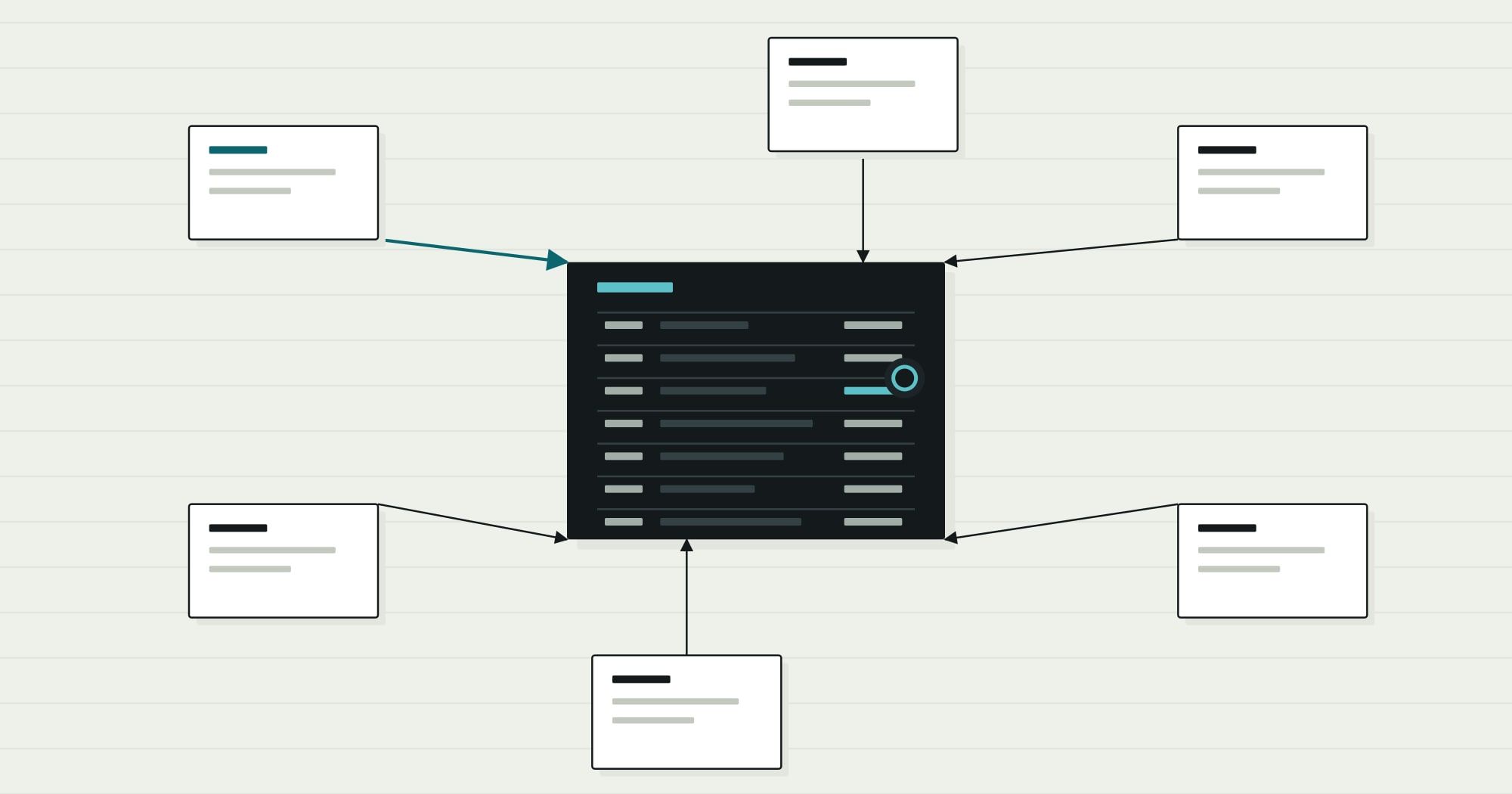
Putting the decisions together, a typical mid-sized landscape looks like the map below: the ERP as the system of record for orders, items and money, connected to each surrounding system with the pattern that suits that exchange.
| Connected system | Direction | What moves | When |
|---|---|---|---|
| CRM | ERP ↔ CRM | accounts ↔ order status | on change (events) |
| Online store | ERP ↔ Online store | orders ↔ stock, prices | events · every 15 min |
| Warehouse (WMS) | ERP ↔ Warehouse (WMS) | pick lists ↔ shipments | on release · on ship |
| Payment provider | Payment provider → ERP | settlements, fees | daily file |
| Payroll | Payroll → ERP | journal summary | per pay run |
| Data warehouse | ERP → Data warehouse | extracts | nightly batch |
The specific systems will differ; the structure should not. Each connection has a named owner, a pattern chosen for its timing needs, idempotent messages, a dead-letter queue and a reconciliation report.
Integration checklist
Before an ERP integration goes live
Ownership and data
- A system of record is named for every entity the integration touches
- Field-level ownership is written down where it is split
- A cross-reference table maps identifiers between systems
- Amounts use exact types; currencies and units are explicit
Behaviour and operations
- Each interaction is classified as synchronous or asynchronous, with a reason
- Messages carry idempotency keys and a schema version
- Retries use backoff with a cap; permanent failures go to a dead-letter queue
- A named owner reviews dead letters and a daily reconciliation report
- Each integration has its own least-privilege credentials and a runbook
Where this fits
Integration architecture is where custom work and packaged software meet. A custom ERP module, a packaged finance system and a SaaS CRM can work as one landscape if ownership and failure handling are designed deliberately. When the ERP itself is being built or extended, custom ERP development includes the integration boundary from the first module. When the work is mainly connecting existing products, Comtau’s CRM and integrations team covers systems integration as a service in its own right.
For the definition of the core system these integrations revolve around, see what an ERP system is. If one of the systems in the map is an old one that must eventually be replaced, the legacy modernization framework shows how integration patterns like these make a phased replacement possible.