What is an ERP system? Meaning, modules and how it works
ERP stands for enterprise resource planning, but the useful definition is narrower: one shared set of business records that sales, purchasing, inventory and finance all read and write. Everything else follows from that.
- By
- Comtau Editorial
- Published
- Reading time
- 9 min
What ERP stands for, and what the term means today
ERP stands for enterprise resource planning. The name is a historical artefact. It grew out of manufacturing software: material requirements planning (MRP) calculated which materials to buy and when, manufacturing resource planning (MRP II) added capacity and cost, and in the early 1990s the term ERP came into common use for systems that extended the same shared records to finance, sales, purchasing and the rest of the business.
So the word “planning” in the name is misleading. Most of what an ERP does every day is not planning. It is recording transactions (an order taken, goods received, an invoice sent, a payment applied) and making sure every team sees the result of every transaction.
A practical definition for anyone choosing or designing one:
That definition leaves out vendor names, deployment model and price, on purpose. A suite from a large vendor, an open-source platform and a custom-built system can all meet it. A collection of separate tools exchanging spreadsheets does not, however many features it has.
The one idea behind every ERP: shared records
Without an ERP, a mid-sized company typically keeps the same facts in several places. Sales has the customer and the order in a CRM or a spreadsheet. The warehouse has the order again in its own tool, with stock levels that may or may not match. Finance re-enters the shipment as an invoice in the accounting system, and someone reconciles all three at month end.
Each copy is reasonable on its own. The cost is in the gaps between them: orders shipped but not invoiced, stock that exists in one system and not the other, a customer whose credit limit is known to finance but not to sales.
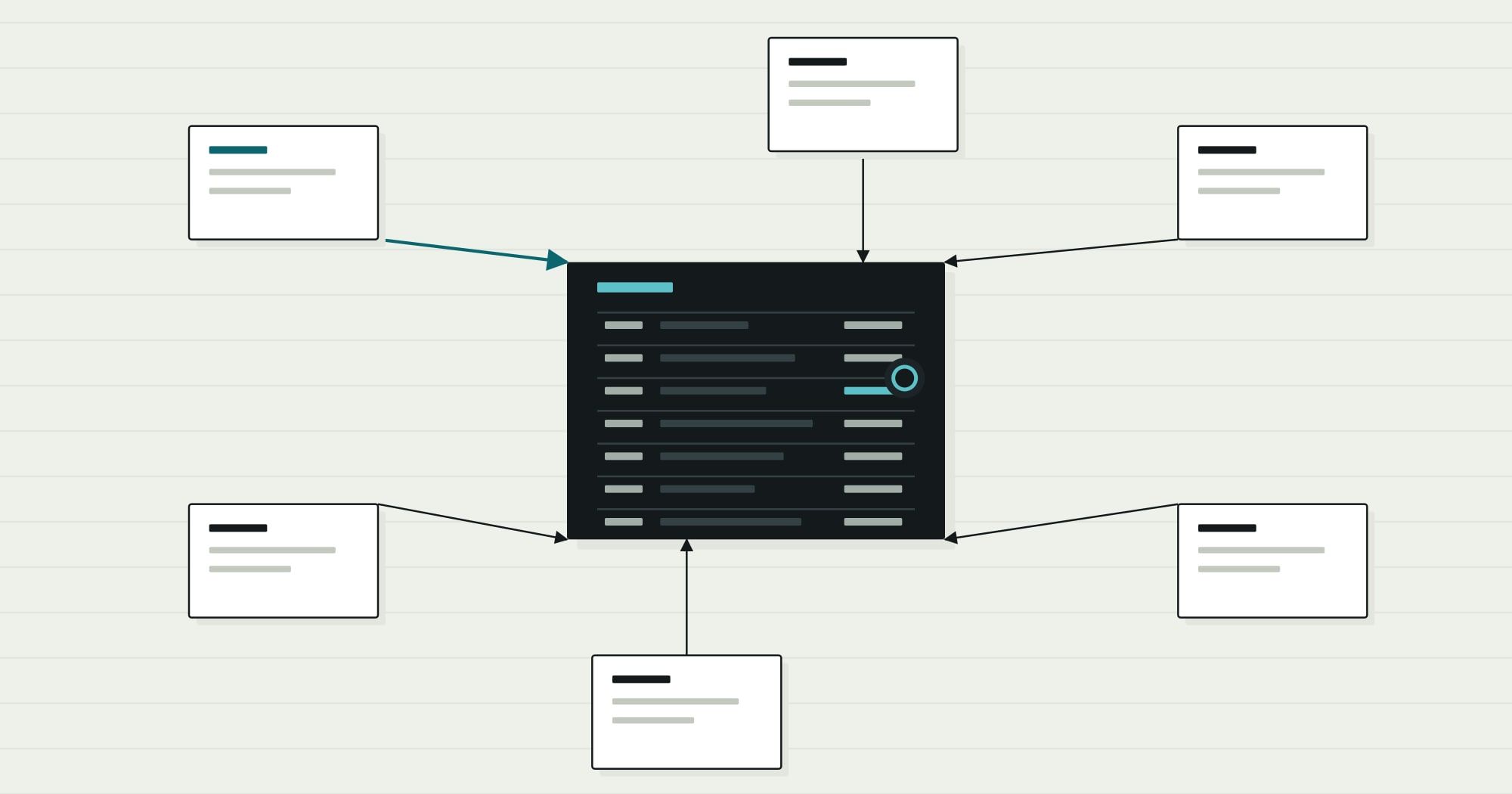
An ERP removes the copies. There is one customer record, one item record and one sales order, and each module adds its part:
| Shared record | Created by | Then used by |
|---|---|---|
| Customer | Sales or finance | Sales (pricing, credit), warehouse (ship-to address), finance (invoicing, collections) |
| Item | Purchasing or engineering | Sales (price lists), inventory (stock, locations), production (bills of materials), finance (valuation) |
| Sales order | Sales | Inventory (reservation), warehouse (picking), finance (invoice, revenue) |
| Purchase order | Purchasing | Receiving (goods in), accounts payable (three-way match), finance (commitments) |
| Journal entry | Every module, automatically | Finance (ledger, reporting, period close) |
The last row is what separates an ERP from a set of connected tools. In an ERP, operational events post to the general ledger as they happen. Receiving goods raises inventory value and a liability to the supplier; shipping them moves cost to cost of goods sold. Finance stops re-entering operations and starts reviewing them.
The modules an ERP usually includes
Vendors name and bundle modules differently, but the core is consistent. Most companies start with the first four and add the rest as needed.
| Module | Owns these records | Main users |
|---|---|---|
| Finance (general ledger, payables, receivables) | Chart of accounts, journal entries, supplier and customer balances, periods | Accounting, controller, CFO |
| Sales and order management | Quotes, sales orders, price lists, credit limits | Sales operations, customer service |
| Purchasing | Requisitions, purchase orders, supplier prices | Buyers, approvers |
| Inventory | Stock by item and location, movements, valuation | Warehouse, inventory control |
| Production and planning (manufacturers) | Bills of materials, routings, work orders, planned orders | Planners, production managers |
| Projects and services | Projects, time, expenses, billing milestones | Project managers, service teams |
| HR and payroll (sometimes) | Employees, positions, pay runs | HR, payroll |
HR and payroll are the module most often left outside the ERP: payroll depends on local tax rules that specialist providers maintain, so many companies run a payroll service and post a summary journal to the ERP after each pay run.
How an ERP system works: one order, followed through
The clearest way to see what an ERP does is to follow one sales order. Every step below happens in a different module and is owned by a different team, but it is one record moving through one system.
- Order entered: done
- Credit check: awaiting a decisionOver the limit: route to approval
- Stock reserved: done
- Picked and shipped: done
- Invoice posted: in progress
- Payment applied: not started
- Sales enters the order against the shared customer and item records, so prices, terms and the ship-to address come from master data rather than memory.
- The credit check runs on live balances. Finance’s view of what the customer owes is the same data sales sees. If the order exceeds the limit, it waits for an approver instead of shipping.
- Inventory reserves stock, so the same units are not promised to two customers.
- The warehouse picks and ships. The shipment reduces stock and, in the same transaction, moves the cost of the goods from inventory to cost of goods sold.
- The invoice is created from the shipment, not re-typed. Revenue and the receivable post to the ledger.
- The payment is matched to the invoice, the customer’s balance falls, and the credit available to sales rises.
Nobody reconciled anything. That is the whole argument for an ERP in one paragraph, and also the reason ERP projects are hard: to get there, every team has to agree on the shared records first.
ERP system examples
ERP products fall into a few broad groups. The names below are examples of each group, not recommendations; fit depends on industry, size, entities and what you need to keep.
- Large suites for complex, multi-entity organisations, such as SAP S/4HANA and Oracle Fusion Cloud ERP.
- Mid-market suites, such as Oracle NetSuite, Microsoft Dynamics 365 Business Central, Sage Intacct (finance-led) and Acumatica.
- Industry-focused systems, especially in manufacturing and distribution, such as Epicor, Infor and Plex.
- Open-source and modular platforms, such as Odoo and ERPNext, which are often extended heavily.
- Custom or in-house ERPs, built around one company’s records and processes, sometimes alongside a packaged finance system.
Two questions come up often enough to answer directly:
- Is SAP an ERP system? SAP is a company. Its ERP products include SAP S/4HANA for large organisations and SAP Business One for smaller ones, so “SAP” is often used as shorthand for its ERP.
- Is Salesforce an ERP? No. Salesforce is primarily a CRM: it manages leads, opportunities, accounts and service cases. It does not keep the general ledger, stock or purchasing. Companies commonly connect it to an ERP; the article on ERP integration architecture explains how that connection should be designed.
What an ERP is not
Many systems sit next to an ERP and are confused with it. The distinction that matters is which records each system owns. A system that owns a record is where that record is created and corrected; everything else reads a copy.
| Capability | ERP | CRM | WMS | MES | BI |
|---|---|---|---|---|---|
| General ledger and invoices | Owns | Reads | - | - | Reads |
| Customer master (billing) | Owns | Feeds | Reads | - | Reads |
| Leads and opportunities | - | Owns | - | - | Reads |
| Stock by bin and pick tasks | Reads | - | Owns | - | Reads |
| Stock value | Owns | - | Feeds | - | Reads |
| Shop-floor operations and scrap | Reads | - | - | Owns | Reads |
| Cross-system reporting | Feeds | Feeds | Feeds | Feeds | Owns |
- A CRM manages the sales relationship before and around the order. The ERP takes over once an order is accepted.
- A warehouse management system (WMS) directs physical work inside the warehouse: bins, pick paths, scanning. The ERP keeps the financial view of the same stock.
- A manufacturing execution system (MES) records what happens on the shop floor minute by minute. The comparison of ERP, MRP and MES explains where that boundary sits.
- Business intelligence (BI) tools report across systems. They should never become the place where records are corrected.
- Spreadsheets are not a system of record, even when a company runs on them. They are usually where the ERP’s missing pieces live.
Signs a business needs an ERP, and signs it does not
Is the problem one an ERP solves?
Signs you need one
- The same customer, item or order is keyed into two or more systems
- Month-end close depends on reconciling operational data by hand
- Nobody can say what stock is available to promise without asking the warehouse
- Credit, pricing or approval rules are enforced by memory rather than by the system
- A new entity, warehouse or currency means another spreadsheet
Signs you do not, yet
- One team has one problem (for example, stock counts) and the rest works
- Finance is well served and the pain is operational, in one process
- Volumes are low enough that reconciliation takes minutes, not days
- The business model is still changing every quarter
- Nobody can yet own the shared master data
The second list matters. An ERP is a commitment to shared records and shared rules, and it imposes discipline on every team that touches it. When the problem is narrower, a focused system such as inventory management software can solve it at a fraction of the effort, and connect to an ERP later.
Packaged, configured or custom
Once a company decides it needs ERP capability, the next decision is how to get it. There are three broad routes, and most real projects combine them:
- Adopt a packaged suite and change your processes to match it. Fastest when your processes are close to the industry standard, and the cheapest to maintain.
- Configure and extend a platform. Keep the packaged core (usually finance) and build extensions for the processes that differ.
- Build custom modules on your own data model. Justified when the way you run operations is itself the advantage, or when packaged systems force workarounds into the most important part of the business.
The trade-offs are specific to ERP: finance and compliance favour packaged software, while unusual operational processes favour custom work. When the custom route is the right one for some modules, custom ERP development means building them on one data model, phased module by module, beside the packaged systems you keep. For the general version of this decision, independent of ERP, the Fractional CTO journal has a framework for deciding whether to build or buy software.
Will AI replace ERP?
It is a reasonable question, because “what is replacing ERP” is asked often. The short answer is that AI changes how people work with an ERP more than whether one is needed.
AI is useful around the edges of the system: reading supplier invoices into structured data, suggesting a general-ledger code, drafting a reply to a customer about an order, flagging an unusual transaction. Each of those still needs somewhere authoritative to write the result, with rules about who may change what. That place is the system of record.
What may change is the interface. If staff can ask for an order’s status in plain language, or an agent prepares a purchase order for a buyer to approve, fewer people will open the ERP’s own screens. The records, postings and controls underneath stay. A company with inconsistent master data will find that AI makes the inconsistency faster, not smaller.
Where to go from here
If the useful definition of ERP is “shared records with automatic postings”, the practical questions that follow are about boundaries: which records the ERP should own, which systems should feed it, and what happens when a connection fails. Those are covered in the deep dive on ERP integration architecture. Manufacturers deciding how much of the factory belongs in the ERP should read the ERP, MRP and MES comparison next.