How to map a business process before you automate it
A process map is only useful if someone can build from it. This guide turns process mapping into a short sequence of working sessions that end in four artefacts: a swimlane map, a list of states, an exception register and a rules table.
- By
- Comtau Editorial
- Published
- Reading time
- 7 min
- Sections
- 7
You leave withA swimlane map, a state list, an exception register and a rules table that a developer or automation tool can build from.
Process map, process model, workflow: the terms
Several overlapping terms describe the same activity at different levels of formality. It helps to choose one deliberately.
| Type | What it shows | Use it when |
|---|---|---|
| SIPOC | Suppliers, inputs, process, outputs, customers, at a high level | Agreeing scope before detailed mapping |
| Basic flowchart | Steps and decisions in sequence | A simple process inside one team |
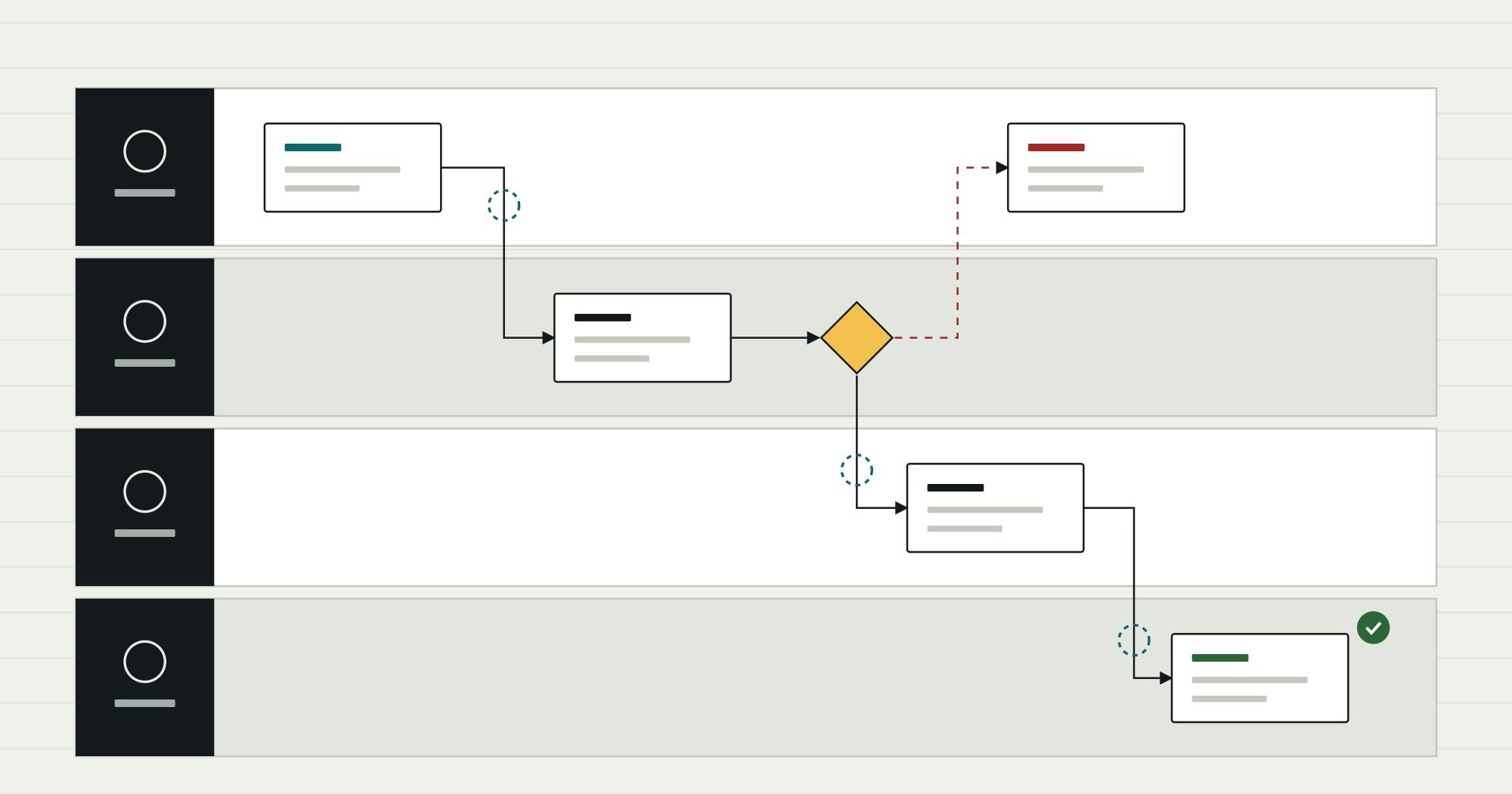
| Swimlane map | Steps and decisions, arranged in lanes by role or system | Any process that crosses teams; the default for automation work |
| Value stream map | Steps with waiting time and processing time | The goal is to shorten lead time |
| BPMN model | A formal notation (Business Process Model and Notation 2.0) with defined symbols for events, gateways and messages | The model will be executed by a process engine or must be unambiguous across many teams |
Process mapping usually means the first four, drawn for people. Business process modeling usually means a formal model such as BPMN, precise enough for software. For automation, a swimlane map drawn with a handful of BPMN-like symbols (start, task, decision, end) is enough; a full BPMN model is worth it only when a process engine will run it directly.
Before you draw: set the boundaries
Most mapping sessions fail by trying to map “procurement” or “onboarding”. Those are families of processes. Pin down five things first and write them at the top of the page:
- Trigger: the event that starts one case. “A team member needs to buy something” is vague; “a purchase request is submitted” is a trigger.
- End state: the condition that means one case is finished. “Goods received and invoice matched” is checkable.
- Variant: which version you are mapping. Stock items and services usually follow different paths; map one now and the other separately.
- Owner: the person who can decide what the correct process is when lanes disagree.
- Purpose: why you are mapping. “To automate approvals” and “to cut lead time” lead to different levels of detail.
The method, step by step
Mapping a process in nine steps
Fix the boundaries
Write the trigger, end state, variant, owner and purpose on the first page, and get the owner to agree them.
Output Scope statement
Collect recent real cases
Pull a sample of completed cases from the systems and inboxes involved: requests, emails, approvals, records. Twenty is often enough to see the common paths.
Output Case sample
List the lanes
Name every role and system that touches a case. Systems get lanes too: the ERP, the inbox, the shared spreadsheet.
Output Lane list
Draw the common path
Walk the most frequent case through the lanes. One box per step, written as verb plus object: approve request, create purchase order.
Output Draft swimlane map
Add decisions and exceptions
Replay the unusual cases from the sample. Every time one leaves the common path, add the decision point and the branch.
Output Complete map
Turn steps into states
List the states a case can be in, such as submitted, awaiting approval, rejected or ordered, and which step moves it between them.
Output State list
Write the rules
For each decision, write the condition in a table: inputs, outcome, and who decides when no rule applies.
Output Rules table
Validate with the people who do the work
Walk the map with someone from each lane, using a real case. Fix what they correct; note where they disagree with each other.
Output Validated map
Mark what to automate
Classify each step: automate, keep with a person, remove, or change first.
Output Automation candidates
Collect cases before you interview anyone
Interviews produce the process as people believe it runs. Records produce the process as it does run. Start with records, then use interviews to explain what the records show.
For each case in the sample, note who touched it, in what order, how long it waited between steps, and whether it took an unusual path. A simple table is enough. The point is not statistical rigour; it is to make sure the map includes the paths that actually happen.
Draw the common path first
Resist drawing exceptions in the first pass. Get the most common route through the lanes on the page, end to end, and check it with the owner. Then replay the unusual cases one at a time.
Use a small, consistent vocabulary:
- Rounded box for a task, written as a verb and an object.
- Diamond for a decision, written as a question with labelled exits.
- Arrow across lanes for a hand-off. Mark these: they are where work waits and where errors start.
- Circle for start and end events.
Name the exceptions and count them in your sample
An exception register is the most useful artefact for anyone who will automate the process, because exceptions are where automation succeeds or fails.
Two things to notice. Several exceptions disappear with a better form or better master data, before any automation. And at least one exception is a policy question, not a technical one, which only the owner can answer.
From the map to states
Automation software does not run diagrams; it runs states and transitions. Converting the map into a list of states is the step that most often reveals gaps, such as a case that can be rejected but has no defined way to be resubmitted.
- Draft: done
- Submitted: done
- Awaiting approval: awaiting a decision
- Approved: in progress
- Ordered: not started
- Closed: not started
↺ Returned · rejected requests go back to Draft with the reason attached
For each state, write who can see a case in that state, who can act, and what actions are possible. That list becomes the screens and permissions of an internal tool, or the configuration of an automation platform.
Write the rules as a table
Rules buried in prose are ambiguous. In a table, gaps and overlaps are visible: two rows that match the same case, or a case that matches none.
| Question | Up to department threshold | Above threshold | New supplier |
|---|---|---|---|
| Who approves | Budget holder | Budget holder, then finance | Budget holder, after supplier set-up |
| Checks before approval | Budget available, cost centre valid | As left, plus contract or quote attached | Supplier details verified by finance |
| If no decision in two working days | Reminder, then the budget holder's manager | Reminder to both approvers | Reminder to finance |
| Result | Purchase order created automatically | Purchase order created automatically | Supplier created, then normal approval |
Common mapping mistakes
- Mapping the ideal process. If the map shows what the policy says rather than what happens, the automation will be built for a process that does not exist.
- Too much detail too early. “Click submit” is not a step. Map at the level of decisions and hand-offs, and add detail only where the automation needs it.
- Ignoring rework loops. Requests that go back and forth are often the largest hidden cost. Draw the loops.
- Mixing variants. A map that tries to show stock purchases, services and capital expenditure at once is unreadable. Map variants separately and note where they share steps.
- No owner. Without someone who can settle disagreements between lanes, the map records the disagreement and stops there.
What to hand to the people who will automate it
The mapping hand-over pack
Artefacts
- Scope statement: trigger, end state, variant, owner, purpose
- Validated swimlane map of the common path and exceptions
- State list with who can see and act in each state
- Exception register with counts from the case sample
- Rules table for every decision
Decisions already made
- Which steps are automated, kept with people, removed or changed first
- Which system is the system of record for each piece of data
- Who owns the process and the automation after launch
- Which policy questions the owner has answered
With that pack, building the automation becomes an engineering task rather than an exercise in discovering the process. If you are not yet sure what automation can and cannot do for a given step, read the explainer on what business process automation is first.
Comtau starts process automation projects from exactly this kind of map, and the state list usually becomes the work queue staff use every day, built as an internal tool when the existing systems do not provide one.