What is business process automation? Definition, examples and limits
Business process automation is software running the steps of a defined process: moving records, applying rules, routing decisions to the right person and keeping a trail of what happened. The definition is simple. The prerequisites are not.
- By
- Comtau Editorial
- Published
- Reading time
- 7 min
A working definition
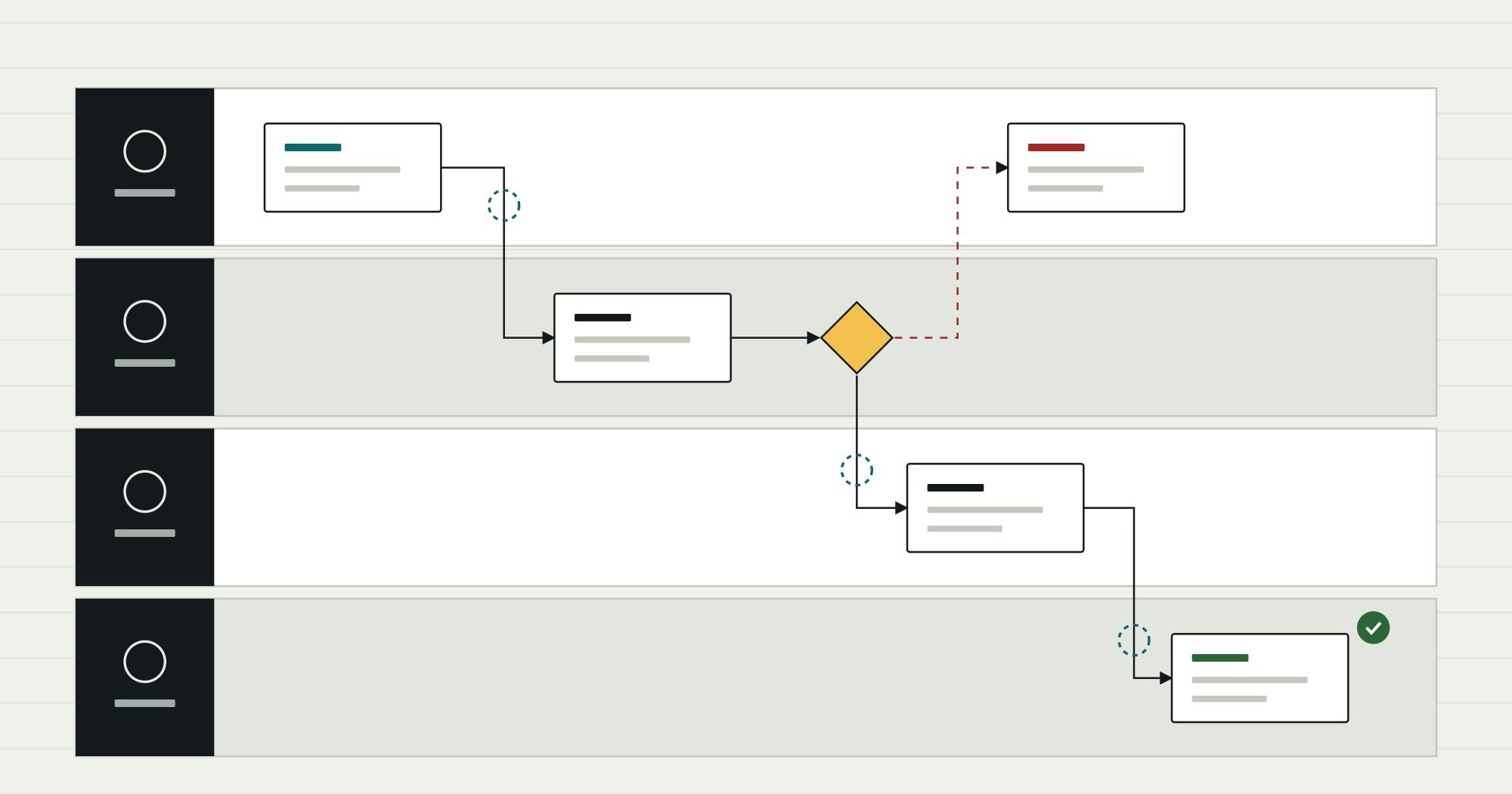
Every business runs processes: a purchase request becomes an approved order, a new hire becomes a working employee with accounts and equipment, a supplier invoice becomes a payment. Each is a sequence of steps with rules about who does what, in what order, under which conditions.
Business process automation is software that runs those steps. It takes in a trigger, applies the rules, moves data between the systems involved, asks people for decisions where judgement is needed, and keeps a record of everything that happened.
Two things follow from that definition:
- BPA is about a whole process across people and systems, not one task. Automatically filling a form is a feature; routing the request behind the form to the right approver, enforcing the threshold and updating the ERP once approved is process automation.
- BPA is rule-based by default. The steps and conditions are explicit. That makes the behaviour predictable and auditable, and is the main difference from automation that relies on AI to interpret documents or text.
The building blocks
Whatever the tool, an automated process is built from the same five parts. Naming them makes it much easier to describe what you want and to spot what is missing.
| Building block | What it is | Example in a purchase request |
|---|---|---|
| Trigger | The event that starts a run | A request is submitted, or stock falls below a reorder point |
| Rules | Conditions that decide the path | Amount over the department budget threshold needs a second approval |
| Decisions | Points where a person must choose | The budget holder approves, rejects or asks a question |
| Actions | Work the system does | Create the purchase order in the ERP, email the supplier, update the budget |
| Record | The trail of who did what, when and why | Every state change with user, time and comment, visible on the request |
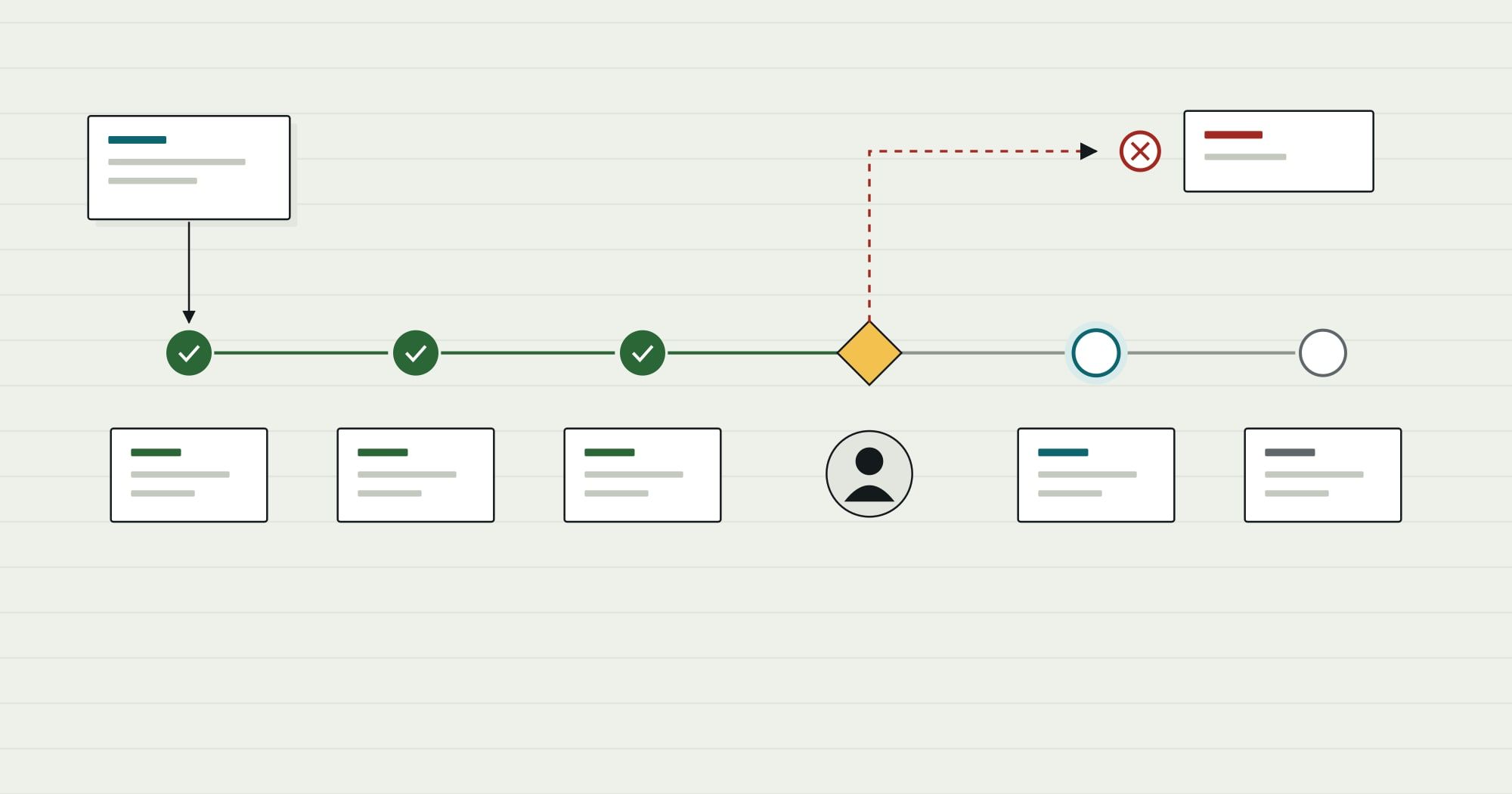
Seen as states, a single request looks like this:
- Submitted: done
- Checked: doneBudget, supplier and coding validated
- Approval: awaiting a decisionSecond approver above threshold
- Ordered: in progressPO created in ERP
- Received: not started
The record is the part teams most often skip and most often regret. When an auditor, a manager or an annoyed supplier asks why something happened, “the automation did it” is not an answer. The trail should say which rule fired, which data it saw and who approved.
Examples of business process automation
The best candidates are processes that run often, follow rules most of the time, and cross more than one team or system.
| Process | Trigger | Rules the system applies | Decision kept with a person | Systems involved |
|---|---|---|---|---|
| Supplier invoice approval | Invoice received | Match to purchase order and receipt; tolerance on price and quantity | Approve mismatches above tolerance | Email or scanning, ERP |
| Purchase requests | Request submitted | Budget check, approval threshold by amount and category | Budget holder approval | Request form, ERP |
| Employee onboarding | Offer accepted | Accounts and equipment by role and location | Manager confirms start date and access | HR system, IT directory, equipment queue |
| Stock reorder | Stock below reorder point | Preferred supplier, minimum order quantity | Buyer confirms unusual quantities | Inventory, ERP purchasing |
| Order exceptions | Order fails a check | Credit limit, address, stock availability | Credit controller releases or holds | ERP, CRM |
| Month-end close checklist | Period end | Tasks by owner and dependency, deadlines | Controller signs off each stage | Task list, ERP |
Process automation in finance
Finance is where automation is most common and most constrained, because every automated step is also a control. Typical examples are three-way matching of invoices against purchase orders and receipts, bank reconciliation suggestions, recurring journal entries, expense approvals and close checklists.
The constraint is segregation of duties: the person who creates a supplier should not be able to approve payments to it, and an automated process must enforce that rather than bypass it. Automation in finance should make controls stricter and more visible, never looser.
BPA, RPA, workflow tools and AI automation
These terms overlap, and vendors use them loosely. The useful distinction is how the automation interacts with systems and how it decides.
| Approach | How it works | Strength | Limit |
|---|---|---|---|
| Business process automation | Orchestrates a process through system APIs and data, with explicit rules and human steps | End-to-end, auditable, robust to screen changes | Needs systems that expose data or an integration layer |
| Workflow software | A product for forms, approvals and task routing | Quick to set up for approval-centred processes | Struggles when the process needs deep system updates or complex data |
| Robotic process automation (RPA) | Software robots operate other applications’ screens as a person would | Works with systems that have no API | Fragile when screens change; can hide a process inside a robot |
| AI automation | Models read documents or text and decide or draft the next step | Handles unstructured input (emails, invoices, free text) | Probabilistic; needs review rules and evaluation |
RPA is usually described in three types: attended (a robot assists a person at their desk), unattended (robots run in the background on a schedule or trigger) and hybrid (a combination). It is a reasonable bridge to a legacy system that has no other interface, and a poor foundation for a core process.
The approaches combine. A supplier invoice process might use AI to read the invoice, rules to match it, a person to approve exceptions and an API call to post it. When the hard part is reading and interpreting unstructured content, Comtau’s AI Applications team covers AI workflow automation; when it is rules, approvals and system updates, it is business process automation.
What automation cannot fix
The most common reasons automation projects disappoint have nothing to do with tools:
- No owner. Nobody can decide what the rule should be, so the automation is built around the current workaround.
- Unwritten exceptions. The happy path is automated; the exceptions, which may be a large share of the actual work, still arrive by email.
- Inconsistent data. If supplier records are duplicated or cost centres are coded differently by each team, rules that depend on them fail unpredictably.
- Automating a step that should not exist. Approvals that never reject anything and copies of data kept “just in case” should be removed, not automated.
That is why the guide to mapping a business process comes before any automation work: it produces the states, rules and exceptions an automation needs.
Is a process ready to automate?
Readiness check for one process
Ready
- It runs often enough that manual handling is a visible cost
- One person can say what the correct outcome is
- Most cases follow written rules, and the exceptions are known
- The data it needs exists in a system, not only in someone's inbox
- There is a clear end state that can be checked
Not yet
- The process differs by person or by office
- Approvals exist but nobody can say what they check
- Key data is re-typed from emails or PDFs with no structure
- The process is about to change for other reasons
- Nobody will own the automation after launch
What changes when it works
| BeforeToday: email and spreadsheet | AfterAs an automated process |
|---|---|
| InboxRequest sent by email to whoever seems right | ruleRequest routed by amount and category to the budget holder |
| SpreadsheetBudget checked in a spreadsheet, sometimes | checkBudget checked against live figures before approval |
| InboxApproval is a reply saying OK | decisionApproval recorded with user, time and comment |
| ERPBuyer re-types the order into the ERP | donePurchase order created from the approved request |
The measurable change is usually time between steps rather than time within them: requests stop waiting in inboxes, and everyone can see where each one is. The less visible change is control. Every request follows the same rules, and the record shows it.
When the process is clear and the systems are known, business process automation is a matter of building those rules, decisions and integrations carefully. When staff also need a place to work the queue (a list of requests awaiting them, with the record and the actions in one screen), that part is an internal tool on top of the automation.