ComparisonIntegration architecture
ERP vs CRMWhat Each System Owns and How to Connect Them
A CRM manages the relationship before and around a sale; an ERP runs the business once an order exists. The useful question is where the boundary sits, which system owns each shared field, and how changes cross it without creating two versions of one customer.
- By
- Comtau Editorial
- Published
- Reading
- 8 min · 8 sections
In short
- A CRM is the system of record for the customer relationship: leads, contacts, accounts, opportunities, activities and service cases.
- An ERP is the system of record for the business transaction: orders, invoices, payments, stock, purchasing and the general ledger.
- They overlap on customers, products, prices and orders. Ownership of those shared fields has to be decided one field at a time.
- Most companies that outgrow spreadsheets end up with both, connected: the CRM hands a won deal to the ERP, and the ERP returns order, invoice and payment status.
The short answer
CRM (customer relationship management) software records who your customers and prospects are, every interaction with them, and the pipeline of deals in progress. Its users are sales, marketing and customer service teams, and its questions are forward-looking: who should we call, what is likely to close, which customers need attention.
ERP (enterprise resource planning) software records what the business has committed to and what it has done: sales orders, deliveries, invoices, payments, inventory, purchasing and the accounts behind them. Its users are finance, operations and supply chain, and its questions are about obligations and money: what did we sell, what do we owe, what is in stock. For a full introduction to ERP itself, see the Business Systems journal’s guide what an ERP system is and what it does.
| Criterion | CRM | ERP |
|---|---|---|
| System of record for | People and organizations, interactions, opportunities, cases | Orders, invoices, payments, stock, purchasing, ledger |
| Main users | Sales, marketing, customer service | Finance, operations, warehouse, procurement |
| Typical question | Who should we contact next, and what will close? | What did we commit to, ship, bill and collect? |
| Data changes | Frequent, by many users, often incomplete early on | Controlled, posted, often immutable once booked |
| Cost of an error | A missed follow-up or a wrong forecast | A wrong invoice, a stock-out or a misstated account |
| Customer record | Rich: roles, preferences, history, consent | Strict: legal name, tax ID, billing terms, credit limit |
| Choose it when | You need to manage relationships and a pipeline before and after orders exist | You need to execute, bill and account for orders and inventory |
What a CRM is built to do
A CRM’s data model, described in detail in what a CRM database contains, centres on people and organizations and on the activity around them. Leads come in from forms, events and campaigns; they are qualified into contacts and accounts; opportunities (or deals) track potential revenue through stages; activities log every call, email and meeting; and service cases follow customers after the sale.
What makes this work is flexibility. Sales teams add fields, change stages and record partial information because a prospect’s details are discovered gradually. Permissions follow territories and teams. Automation assigns leads, schedules follow-ups and updates forecasts. None of that is accounting, and most CRMs deliberately do not try to be accounting systems.
What an ERP is built to do
An ERP is built around transactions that must balance. A sales order reserves stock; a delivery reduces it; an invoice creates a receivable; a payment clears it; each posts to the general ledger. Because each step has legal and financial consequences, ERPs enforce validation strictly: a customer cannot be invoiced without a valid billing address, tax treatment and payment terms, and posted documents are corrected by new documents, not edited.
That strictness is the reason an ERP is a poor place for early-stage sales activity, and a CRM is a poor place for invoicing.
Where the two overlap
Four kinds of data live in both systems in almost every company, and they are where integration problems start:
- The customer. The CRM account and the ERP customer describe the same organization, but they are created at different times for different reasons. A CRM account may exist for a prospect that never buys; an ERP customer exists only once there is something to bill.
- Products and prices. Sales needs the catalogue and price lists to quote; the ERP owns them because they drive stock and revenue.
- Quotes and orders. A quote is negotiated in the CRM; once accepted, it becomes a sales order in the ERP.
- Financial status. Sales wants to see open invoices, payment status and credit holds on the account, without editing them.
Some CRMs include quoting, invoicing or inventory modules, and some ERPs include a CRM module. Such modules move the boundary, but they do not remove the need to decide which system is authoritative for each field.
Decide ownership field by field
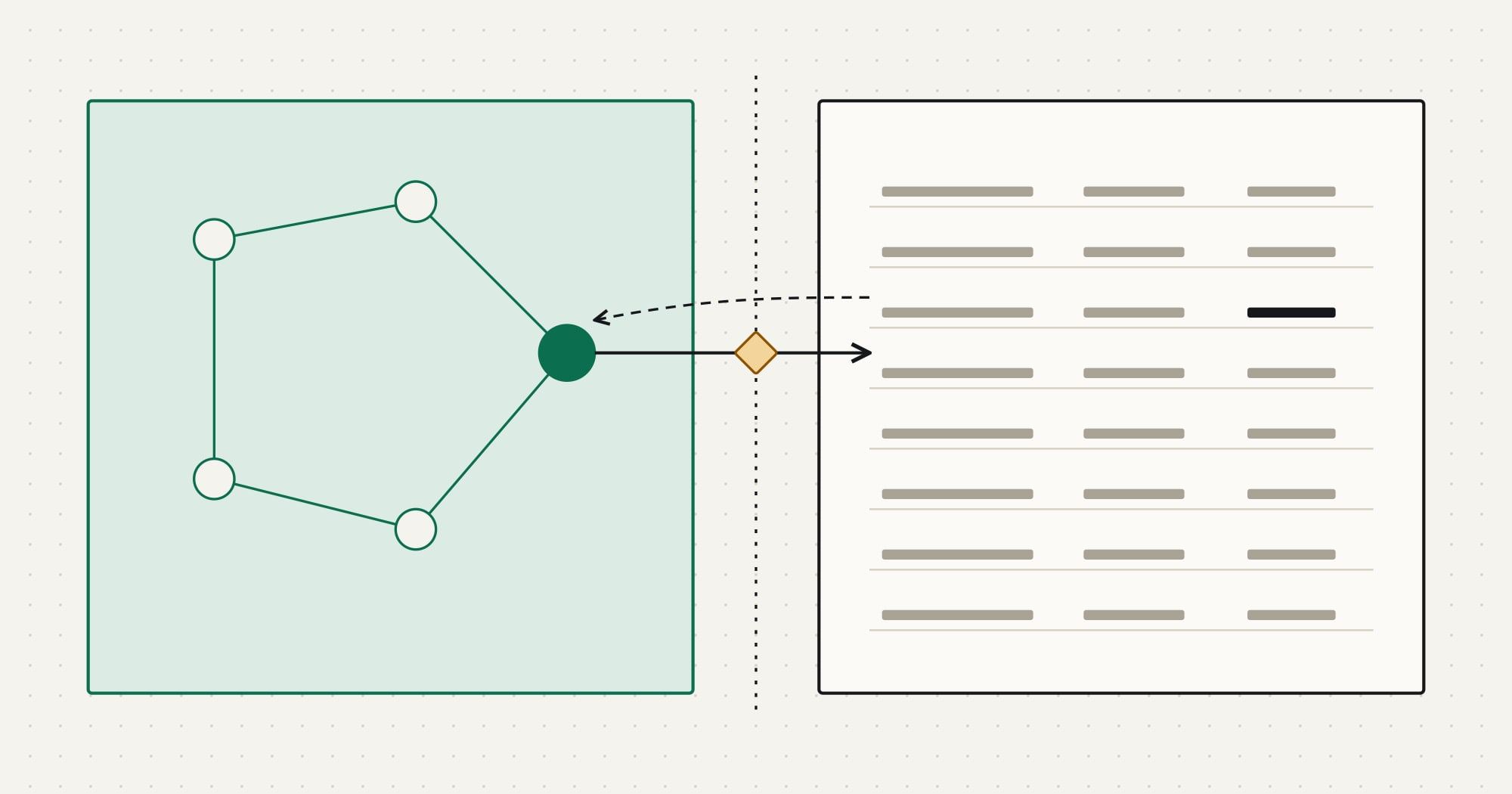
“The ERP owns the customer” or “the CRM owns the customer” is too coarse to implement. Two systems can share one customer safely when each field has exactly one owner, and the other system either reads a copy or never sees the field. This is the core of the system-of-record decision.
CRM
Relationship and pipeline
System of record for
- Leads
- Contacts and roles
- Opportunities
- Activities
- Marketing consent
- Service cases
Reads a copy of
- Order status
- Open invoices
- Credit hold
ERP
Transactions and money
System of record for
- Customer number
- Billing address
- Tax ID
- Payment terms
- Credit limit
- Products and prices
- Orders and invoices
Reads a copy of
- Account owner
- Primary contact
- Owned record
- Read-only copy
| CRM field | ERP field | Transformation | Owner |
|---|---|---|---|
account.name | customer.display_name | CRM edits the trading name; the legal name stays in the ERP | CRM |
account.erp_customer_no | customer.number | Created by the ERP on first order, written back to the CRM | ERP |
account.billing_address | customer.bill_to | Read-only in the CRM layout | ERP |
account.owner | customer.sales_rep | Mapped via a rep code table | CRM |
account.credit_hold | customer.blocked | Boolean copy for sales visibility | ERP |
Three rules keep this workable:
- The owner creates, the other system links. The ERP creates the customer number when the first order is booked and writes it back to the CRM account; from then on, both sides match on that ID rather than on names.
- Copies are read-only in the user interface. If sales can edit the billing address in the CRM, someone will, and the next sync will either overwrite their change or overwrite finance’s.
- Fields that both systems genuinely need to edit get an explicit rule, written down and logged: for example, “the most recent change wins” for a phone number, or “changes from the CRM go to a finance review queue” for a billing address.
Synchronization patterns between CRM and ERP
Once ownership is settled, the sync design follows from the business events. The most common pattern is a handoff at the moment of commitment, with status flowing back on a schedule:
- 01CRM to IntegrationOpportunity moved to
Closed Won - 02IntegrationValidate tax ID, address, currency, products
- 03Integration to ERPUpsert customer, create sales order
- 04ERP to IntegrationCustomer number and order number
- 05Integration to CRMWrite back numbers to account and opportunity
- 06ERP to CRMHourly: order, invoice and payment status
- Event-driven where a person is waiting. When a deal is won, the order should exist in the ERP within seconds or minutes, because fulfilment starts from it.
- Scheduled where a short delay is acceptable. Invoice and payment status, credit holds and product prices can move every hour or every night.
- Validation before the handoff. The ERP will reject an order without a tax ID or a known product code. Check those rules in the integration (or, better, in the CRM before the deal can be closed) and send failures to a review queue with the reason, instead of letting orders fail silently.
- Conflict resolution by ownership, not by timestamp. With field-level ownership, most conflicts cannot happen. For the few shared-edit fields, log every overwrite so a wrong one can be traced and reversed.
The mechanics of each connection, including authentication, incremental reads, idempotent writes and retries, are covered step by step in how to build a CRM API integration. For integrations that span more than two systems, the Business Systems journal’s ERP integration architecture deep dive looks at the same problem from the ERP side.
Do you need both?
It depends on what you need to record, not on company size:
- A CRM alone is enough when invoicing and stock are handled by simple accounting software and orders are few. Many service businesses run this way for years.
- An ERP with a CRM module can work when the sales process is simple, close to order entry, and run by people who already work in the ERP. Check whether its pipeline, activity tracking and mobile use meet the sales team’s needs before committing.
- Both, connected, is the common answer once sales and finance each need a tool built for their work and volumes make re-keying expensive. The cost moves from manual entry to integration design and upkeep, which is why the ownership decisions above matter.
Whichever you choose, write the boundary down before configuring either system. Changing which system owns the customer after two years of data is a migration project, not a setting.
Questions people ask about ERP and CRM
Is Salesforce an ERP? No. Salesforce is primarily a CRM platform: it manages leads, accounts, opportunities and service cases. It does not keep a general ledger or inventory on its own. Companies typically connect it to an ERP, or use ERP products built on or for it; Salesforce integration patterns explains how such connections are usually designed.
Can an ERP replace a CRM? For order-centric businesses with short sales cycles, sometimes. Where pipeline management, marketing and service matter, a dedicated CRM usually serves those teams better, and the two are connected.
Should the customer be created in the CRM or the ERP? Usually the CRM creates the relationship (prospects, contacts) and the ERP creates the billable customer at the first order. The ERP’s customer number is then written back to the CRM account, so both sides match on it.
What breaks most often in a CRM and ERP integration? Duplicate customers created because records were matched by name, silent failures when the ERP rejects an order, and two-way sync overwriting corrections. Each is prevented by the ownership, matching and review-queue rules above. Comtau’s CRM integration services start from exactly those decisions, and systems integration services cover landscapes with more than two core systems.